Subscription plans allow you to offer time-based access to one or multiple courses at a fixed price. This is useful for memberships, bundles, or recurring access models.
Steps to Create a Subscription Plan
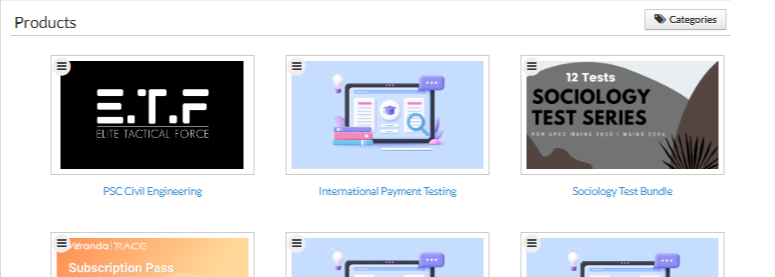
Go to Store from the main menu
Click on the product for which you want to add a subscription
Click More
Select Subscription Plans
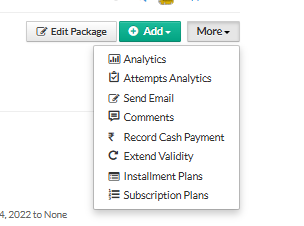
Click Create Subscription Plan
Subscription Plan Details
Fill in the following information:
Plan Name
Enter a name for the subscription plan (e.g., Monthly Pass, Annual Membership).Courses
Select the courses that will be accessible under this subscription.Duration
Define how long the subscription will be valid (in days, months, or years).Price
Set the subscription price learners need to pay.Strikethrough Price
(Optional) Display an original price to highlight discounts or offers.
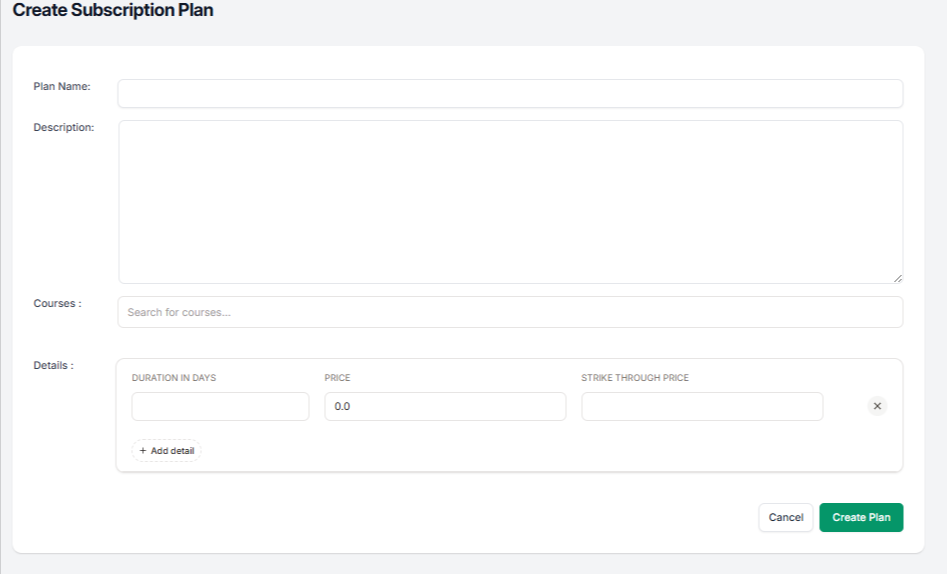
Create the Plan
Review the entered details
Click Create Plan to activate the subscription option for the product
Once created, learners can choose this subscription plan during purchase and gain access to the selected courses for the specified duration.
Was this article helpful?
That’s Great!
Thank you for your feedback
Sorry! We couldn't be helpful
Thank you for your feedback
Feedback sent
We appreciate your effort and will try to fix the article