In this section, you will learn how to gather feedback from your learners to improve course content and engagement.
Why Feedback is Important?
Collecting feedback from learners helps you:
Understand Learner Experience: Know what learners find useful or challenging in your course.
Improve Course Content: Identify gaps, unclear topics, or areas for enhancement.
Boost Engagement: Learners feel valued when their opinions are considered, increasing participation and satisfaction.
Measure Effectiveness: Track if learning objectives are being met and assess overall course quality.
Steps to Collect Feedback
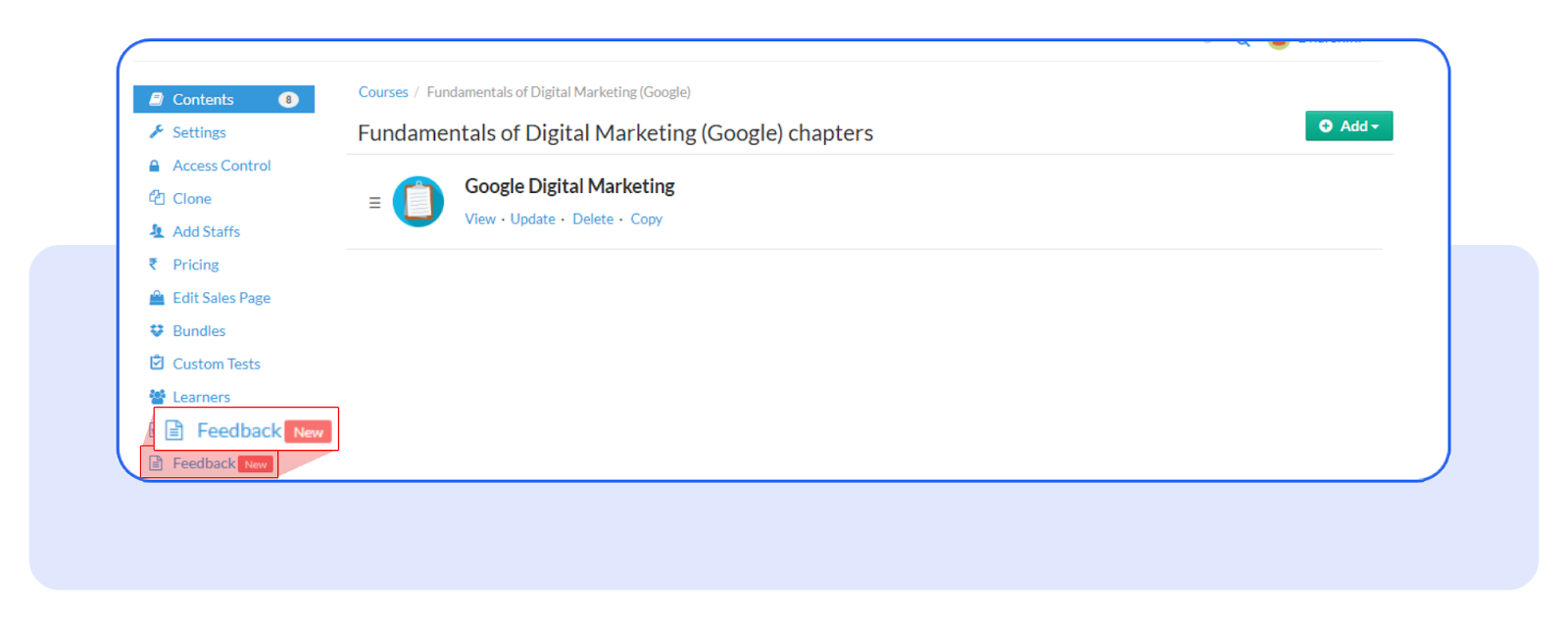
Enable Feedback:
From the admin panel, toggle the Feedback feature on for the course you want to collect feedback from.
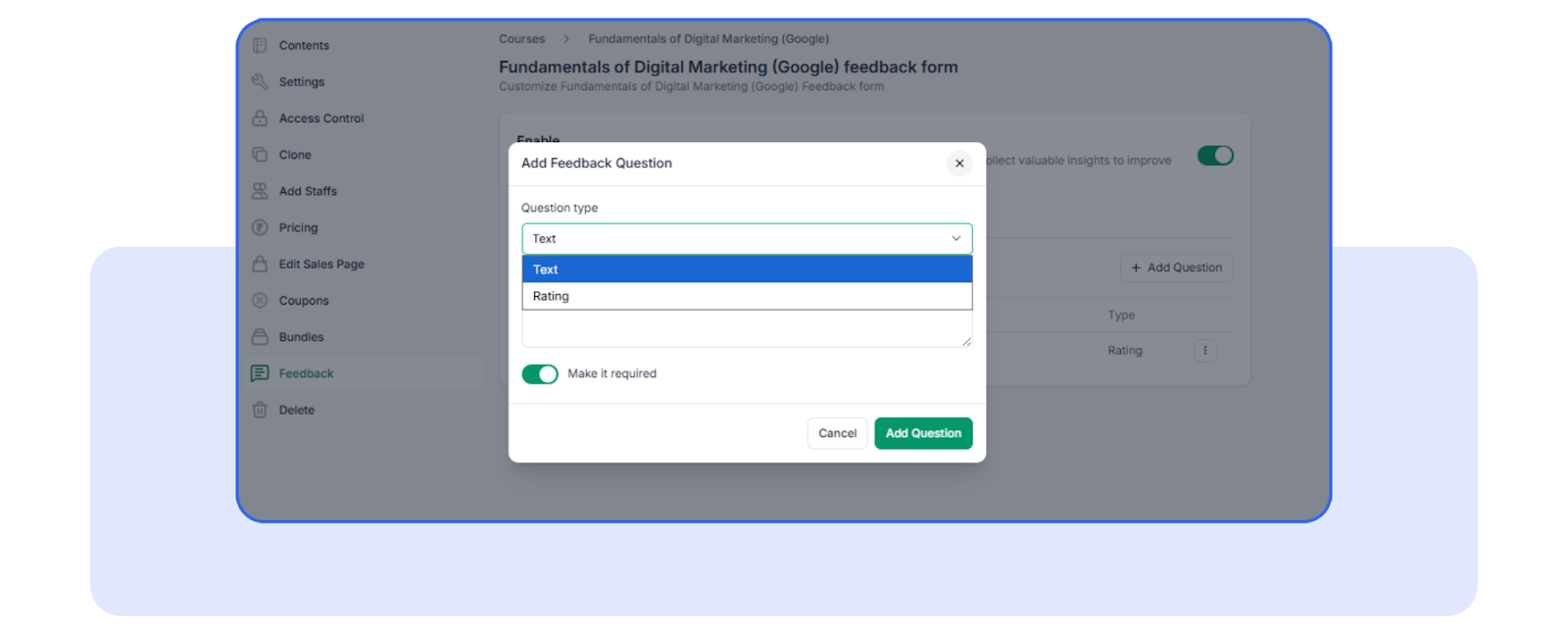
Customize Questions:
Add or edit default questions such as star ratings and text-based responses.
You can also mark specific questions as required to ensure learners provide necessary input.
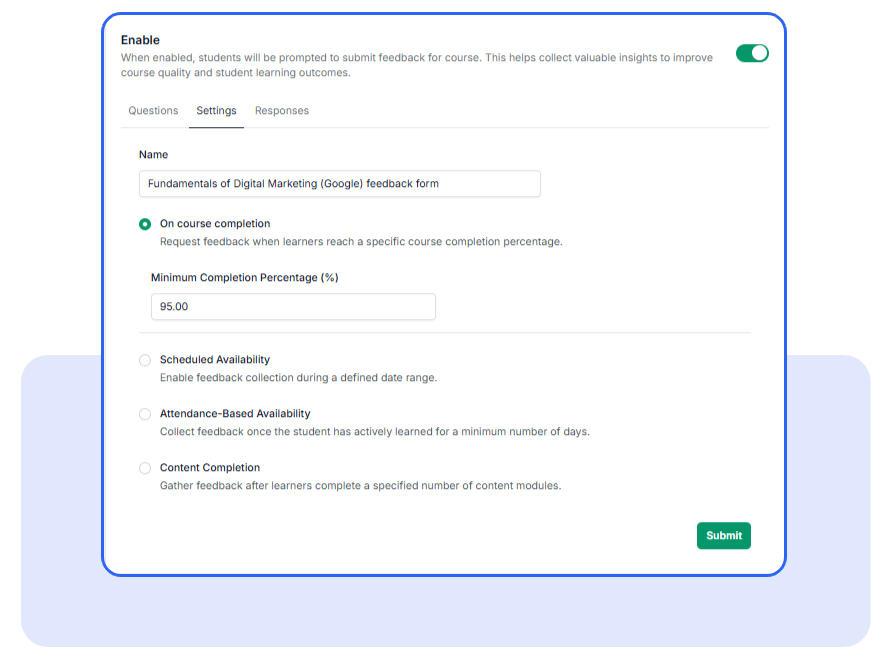
Configure Feedback Triggers:
Choose when feedback should be collected, such as:
After reaching a certain course completion percentage
Based on attendance
Upon completing specific content
Set your preferences directly in the settings.
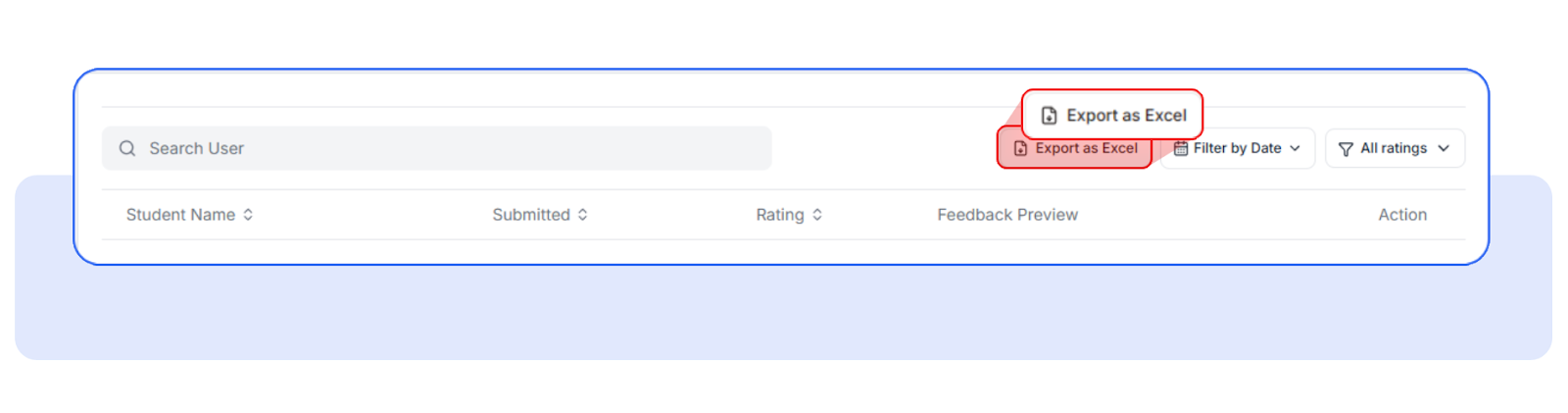
View & Export Feedback:
All feedback is stored per course and per learner.
Admins can view aggregated results and export the data to Excel for detailed analysis.
You’re all set! Now you can easily collect and track learner feedback to enhance your courses.
Was this article helpful?
That’s Great!
Thank you for your feedback
Sorry! We couldn't be helpful
Thank you for your feedback
Feedback sent
We appreciate your effort and will try to fix the article