This section helps you set up SMS integration with Testpress so you can send important messages such as OTPs, login aalerts, and purchase notifications to your users.
To send SMS in India, all messages must follow TRAI DLT regulations. This guide explains the complete process from registering on DLT to connecting your SMS provider with Testpress using simple steps.
Step 1: Register with a DLT Provider
DLT (Distributed Ledger Technology) registration is mandatory to send SMS in India.
Choose a DLT platform such as Jio, Airtel, Vodafone Idea, or BSNL
Complete your business registration on the DLT portal
Submit required documents for verification
Once approved, you can start creating SMS templates.
Step 2: Get SMS Templates Approved on DLT
Before sending any SMS, the message templates must be approved by DLT.
Create SMS templates (example: OTP, login alert, purchase confirmation)
Ensure the content is clear and matches the purpose
Submit the templates for DLT approval
Step 3: Purchase an SMS Service Provider
Choose an SMS service provider (such as MSG91, Textlocal, Kaleyra, etc.) who supports DLT-compliant messaging.
Purchase an SMS plan from the provider
Ensure the provider supports DLT template mapping
Collect API details from the SMS provider dashboard
Step 4: Get DLT-Approved Templates Approved by the SMS Provider
The templates approved in DLT must also be added to your SMS provider account.
Log in to your SMS provider dashboard
Add the same templates that were approved in DLT
Map each template using:
DLT Template ID
Sender ID
Message content (exact match)
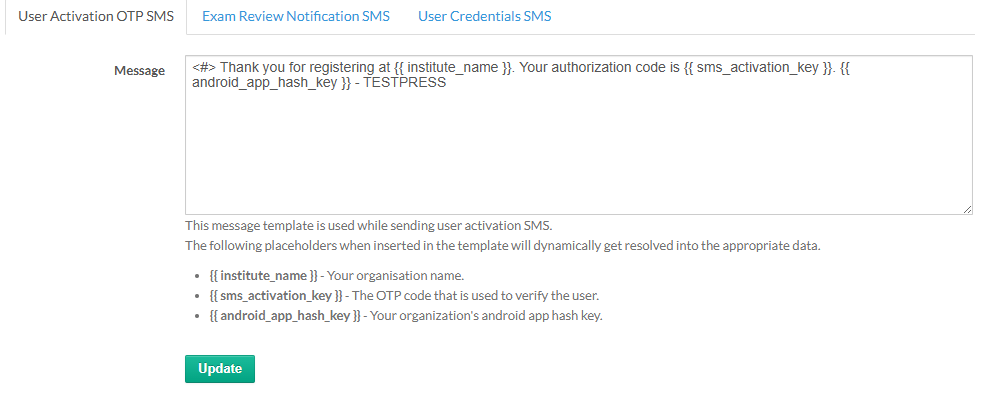
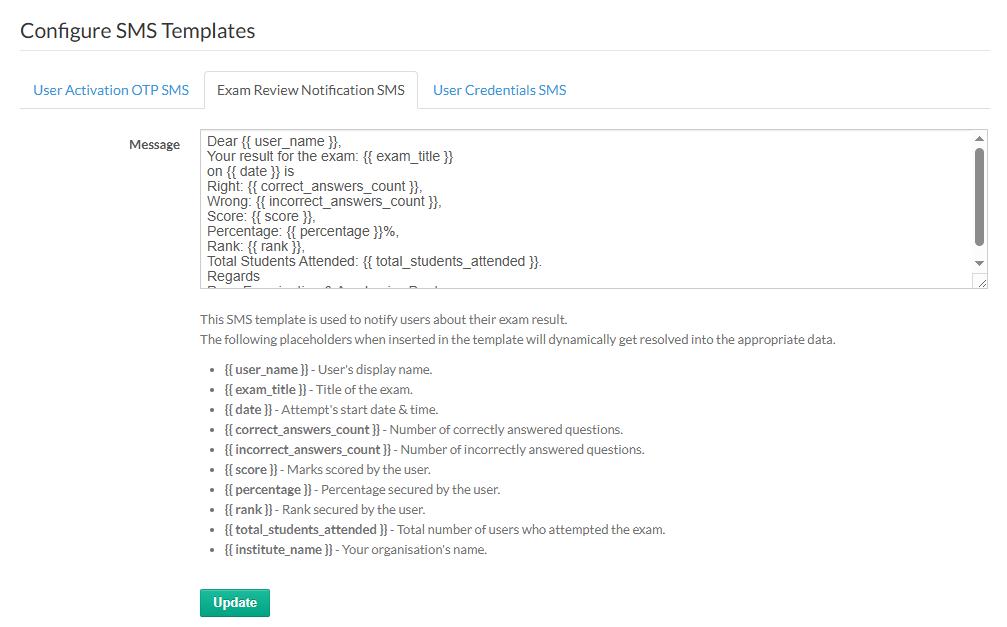
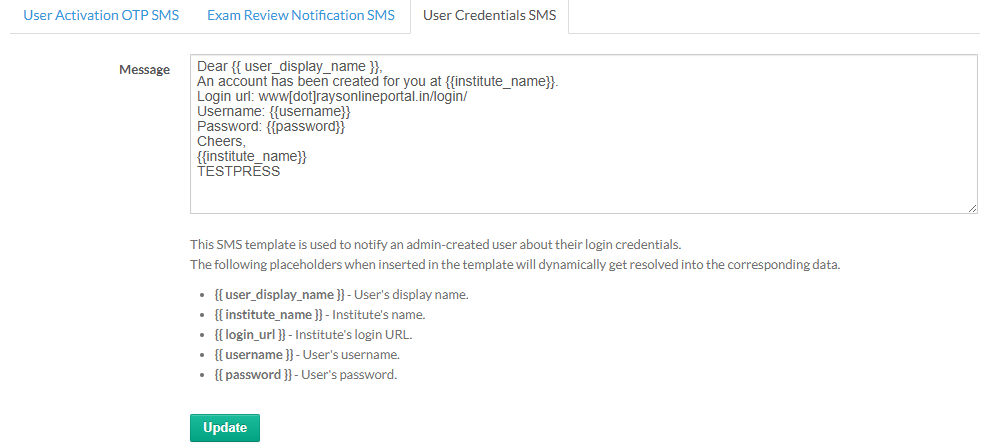
Below are the screenshots of the SMS templates that have already been approved on the DLT platform and are now being added to the SMS provider dashboard for approval.
OTP SMS Template
Login / Verification SMS Template
Purchase / Notification SMS Template
Once approved by the SMS provider, the templates are ready for use.
Step 5: Add SMS API Details in Testpress
After template approval, connect your SMS provider with Testpress.
Log in to your Testpress Admin Dashboard
Navigate to Settings → SMS
Enter the SMS provider API details, such as:
API URL
API Key / Token
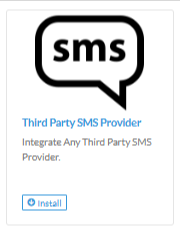
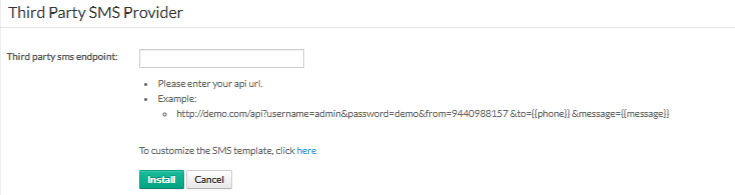
Click install
Step 6: Test the SMS Integration
Trigger a test action (OTP or login SMS)
Confirm the SMS is delivered successfully
If SMS fails, recheck:
Template IDs
API credentialsSender ID mapping
Once all steps are completed, your SMS integration with Testpress will be active. Users will start receiving timely and compliant SMS notifications for important actions on your platform.
Was this article helpful?
That’s Great!
Thank you for your feedback
Sorry! We couldn't be helpful
Thank you for your feedback
Feedback sent
We appreciate your effort and will try to fix the article