Export Users of a Batch
Created by Testpress Support, Modified on Tue, 3 Mar at 3:58 PM by Testpress Support
Start
Getting started with (Account Creation & Login) (5)
Migration to Testpress (1)
White labelled domain (2)
Create Course & Training Content
Create learning programs (1)
Manage
Integrate
Measure & Report
User & Course Analytics (5)
Data & Business Reports (3)
Sell
Course Pricing & Sales Models (3)
This section helps you download the list of users enrolled in a batch. This is useful for reporting, audits, or offline analysis.
Steps to Export Users
Navigate to Batch Management under Memberships

Click on the required batch.
Click on Actions.
Select Export Users.
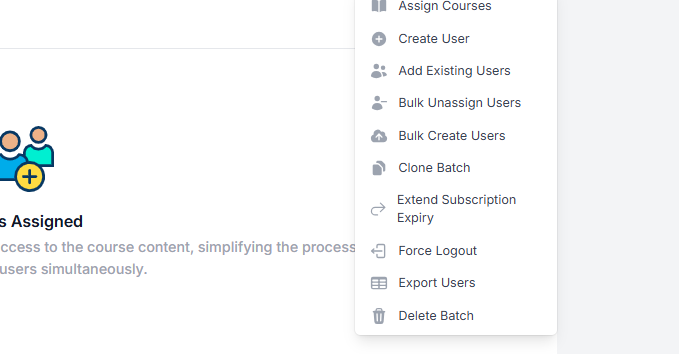
The user list will be downloaded in a file format for your reference.
Was this article helpful?
That’s Great!
Thank you for your feedback
Sorry! We couldn't be helpful
Thank you for your feedback
Feedback sent
We appreciate your effort and will try to fix the article